 Funny Reaction GIF Templates
Free online GIF maker
Funny GIFs Cartoon Template 1598359
Selected template
Funny GIFs Cartoon Template 1598359
Editor
Edit text and preview
Text styleExpand to edit font size, color, and position.
Caption
Generate
More Funny GIF Maker Templates
Published templates
Choose an editable GIF template
Funny Reaction GIF Templates Funny Reaction GIF Templates
 Funny Reaction GIF Templates
 Funny Reaction GIF Templates
 Funny Reaction GIF Templates
 Funny Reaction GIF Templates
 Funny Reaction GIF Templates
 Funny Reaction GIF Templates
About this template
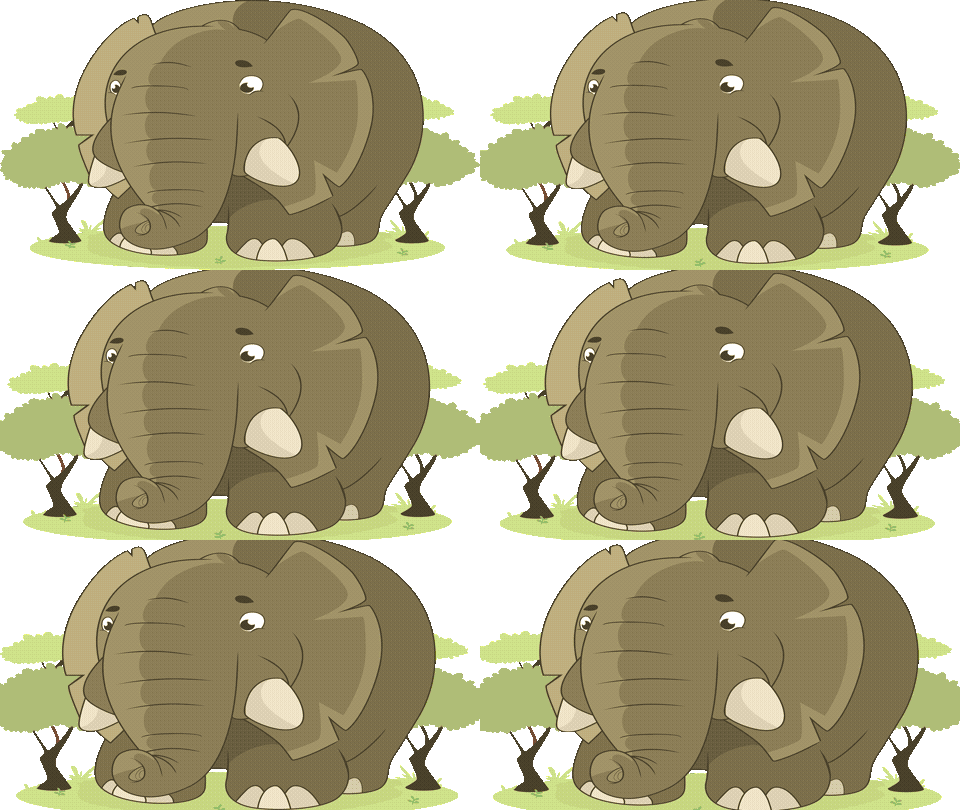
Funny GIFs fans will immediately recognize the playful energy in this cartoon-style template. The animation features an elephant set against warm savannah tones — golden yellows, dusty browns, and natural greens that give it a lively, almost storybook feel. The movement is smooth and looping, with a lighthearted mood that lands somewhere between silly and charming. It's the kind of clip that makes you smile before you've even added any text.
This template works great in a few pretty specific situations. Send it on WhatsApp to a coworker who just survived a tough Monday — the animal humor cuts through work stress without needing much explanation. It also fits nicely in Facebook group chats when someone shares a relatable complaint and you want to respond with something funnier than words. Texting it via iMessage to a friend who loves nature documentaries or animals adds a personal layer of humor. It even works as a quick reaction in Discord servers focused on gaming or pop culture, where cartoon GIFs tend to land well with a younger crowd.
When adding text, keep it short — five words or fewer works best so the animation stays visible and the joke doesn't get buried. Place any caption at the top or bottom edge rather than center, so you're not covering the elephant mid-motion. Timing matters too: drop this one right after someone sets up the joke, not before, so your reply feels like a punchline rather than a random reaction.
FAQ
Common questions
Can I add a caption to a GIF?
Yes. Funny GIF Maker includes Caption Mode for a single caption and Meme Mode for top and bottom text.
What is Meme Mode?
Meme Mode lets you add top text and bottom text in a classic meme-style layout.
Can I upload my own funny GIF?
Yes. You can upload a GIF and add captions over the preview.
Why avoid celebrity or movie GIF templates?
They can create copyright, likeness, and context risks. This page focuses on safer abstract, emoji, and text-based templates.
What font works best for meme GIFs?
Impact-style text with a dark stroke is usually easiest to read.
Can I make a reaction GIF?
Yes. Choose a reaction-style template and write a short caption that fits the chat moment.
How do I keep the joke readable?
Use fewer words, strong contrast, and avoid placing text over the busiest part of the animation.
Can I compress a funny GIF?
Yes. Compress after adding text so the caption stays part of the final file.
Can I use it without software?
Yes. The editor runs in the browser.
Is the page a GIF gallery?
No. It is a GIF maker focused on editing, captions, compression, and download.
Free tools
More ways to make a GIF
Happy Birthday GIF MakerCreate a birthday GIF with name, age, message, and compression options.Good Morning GIF MakerMake a good morning GIF with a name, greeting, template, and download flow.Funny GIF MakerAdd captions, top text, or bottom text to create a shareable funny GIF.GIF Size CheckerCheck GIF file size, dimensions, frame count, duration, and FPS.GIF ResizerResize animated GIF width in your browser before sharing.GIF FPS ReducerLower GIF frame rate to make animated GIFs smaller.GIF to WebPConvert animated GIF files to WebP for smaller web animations.GIF to MP4Convert GIF animations to MP4 video for better compression.