Free online GIF maker
Happy Birthday GIF Maker
Create a personalized happy birthday GIF with a name, age, and message. Choose a birthday template, upload your own GIF, edit the text, compress the file size, and download it for easy sharing.
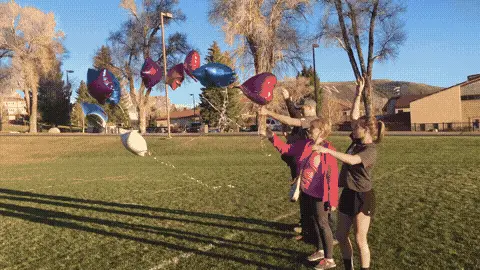
Selected template
Happy Birthday GIF Balloons Template 32132
Editor
Edit text and preview
Text styleExpand to edit font size, color, and position.
Name
Age
Birthday message
Generate
Published templates
Choose an editable GIF template
Guide
How to use this happy birthday gif tool
How to Make a Happy Birthday GIF with a Name
Start with a birthday cake, balloon, confetti, cute, funny, or elegant template. Add the recipient name first, then decide whether the age belongs on the GIF. A short birthday message usually reads better than a long paragraph, especially on WhatsApp or Facebook where the animation may be viewed on a phone.
Birthday GIF Ideas for Friends, Family, and Coworkers
For a friend, keep the text playful and personal. For mom or dad, use a warmer greeting and a softer style. For coworkers, choose a clean template and avoid inside jokes that need too much explanation. The best happy birthday GIFs feel specific without becoming hard to read.
How to Compress a Birthday GIF for WhatsApp
Birthday GIFs can grow quickly when they use confetti, candles, and many colors. If the file is too large, reduce the width to 480px, lower FPS, and use the compressor after generating the text version. That keeps the greeting shareable while preserving the name and message.
Funny vs. Cute vs. Elegant: Choosing the Right Birthday GIF Style
Funny birthday GIFs work best for close friends. Cute styles fit family greetings and casual chat. Elegant birthday GIFs are safer for coworkers, clients, and group messages. Match the visual tone to the relationship before you spend time editing the text.
How to Add Age to a Birthday GIF
Age works best as a small accent near the name or message. Keep it optional, use two or three digits only, and avoid placing it over faces, candles, or detailed background areas. If the GIF already has busy motion, leave age out and keep the message simple.
Write a Birthday Message That Stays Readable
Treat the animation like a small greeting card rather than a full letter. Put the recipient name on its own line, use one short wish, and preview the result at phone size. High-contrast text with a clear outline works better over candles, confetti, and moving backgrounds. If a sentence wraps into three or four lines, shorten it before reducing the font size. Readability matters more than fitting every thought into one happy birthday GIF.
Check the Final Birthday GIF Before Sending
Watch the complete loop after adding text. Confirm that the name remains visible, the message does not cover the main subject, and the first frame makes sense before the animation begins. Then check the downloaded file size and open the file outside the editor. This review catches clipped letters, awkward line breaks, overly fast motion, and files that are unnecessarily large for the destination.
Reuse a Design Without Sending an Identical Greeting
A strong template can serve several people when the personal details change. Replace the name, adjust the relationship-specific message, and choose a different text position if the background subject moves. Keep professional greetings neutral and family greetings warmer. These small decisions create a personal result without requiring design software or an entirely different animation for every birthday.
Use cases
Designed for real sharing moments
For WhatsApp
Use a 480px template, keep the name short, and compress before sending so the birthday GIF uploads quickly.
For Facebook
Choose a bold template with readable text because feeds often crop or autoplay animations silently.
For email
Use a smaller file and a friendly message. Email clients can be strict with large animated GIF attachments.
Happy Birthday GIF Source Check
happy birthday gif begins with a published repository template or an animated GIF selected from the current device. happy birthday gif works best when the selected source is the file you actually intend to inspect or edit, rather than an earlier export whose quality has already changed.
Before using happy birthday gif, confirm that the file opens normally and contains the animation or image you expect. This simple source check prevents an unrelated, incomplete, or previously damaged file from confusing the result.
Use happy birthday gif for the current file, verify the happy birthday gif result, and return to happy birthday gif from the original whenever another pass is necessary.
Happy Birthday GIF Control Choices
happy birthday gif provides template choice, editable text fields, text placement, preview, compression, and download actions. Use the controls that match the current job, then change one setting at a time when you need to understand which choice changed the output.
A deliberate happy birthday gif workflow is easier to review than several simultaneous changes. Keep the source available, note the chosen settings, and compare the next result with the previous download before making another adjustment.
Use happy birthday gif for the current file, verify the happy birthday gif result, and return to happy birthday gif from the original whenever another pass is necessary.
Happy Birthday GIF Result Review
happy birthday gif reports a personalized animated GIF that can be previewed and downloaded. Treat that displayed information as the result of the current run instead of assuming that a preset name guarantees a particular size, dimension, frame rate, or format.
After happy birthday gif finishes, save the output and open it outside the page. Watch a complete animation loop when applicable, read any text, and verify that the downloaded file still serves its intended purpose.
Use happy birthday gif for the current file, verify the happy birthday gif result, and return to happy birthday gif from the original whenever another pass is necessary.
Happy Birthday GIF Detail Check
happy birthday gif should preserve the information a viewer needs. For interface recordings that may be labels and cursor movement; for greetings it may be the message; for reactions it may be expression and timing.
Review happy birthday gif at the destination display size. A small preview can hide soft lettering, rough edges, banded colors, missing frames, or timing changes that become noticeable in a chat, email, document, or web page.
Happy Birthday GIF and Browser Privacy
happy birthday gif performs this browser workflow on the current device. The selected file is not uploaded to gifcompressor.net for the tool operation, which is useful for drafts, personal media, and internal material.
Local happy birthday gif processing still uses the browser's memory and processor. Keep the tab open while work is active, avoid starting several demanding jobs together, and respond to a displayed error instead of assuming processing continued.
Happy Birthday GIF Limits
happy birthday gif cannot remove the limits of the source or destination. Long text, busy motion, low contrast, and large source dimensions can reduce readability or increase the final file size. A usable result depends on both the file and the requirements of the place where it will be shared.
If happy birthday gif produces an unsuitable result, return to the untouched source. Choose a more appropriate control, shorten or simplify the source when the tool supports that workflow, or use another format when the destination accepts it.
Happy Birthday GIF Sharing Check
happy birthday gif is complete only after the downloaded file has been checked. Confirm its measured properties, open it in a normal viewer, and make sure the entire message, subject, or action remains understandable.
Test the happy birthday gif result in the receiving service when possible. Upload rules and display sizes belong to that service, so its final acceptance and presentation are more meaningful than an estimate made before the file leaves this page.
Happy Birthday GIF Repeat Workflow
happy birthday gif comparisons are clearest when every candidate starts from the same original. Re-encoding a downloaded result can stack palette, resizing, frame, or quality changes and make the cause of visible damage harder to identify.
Keep descriptive filenames for each happy birthday gif result and retain the source separately. This makes it possible to compare settings, recover detail, and create another delivery copy later without treating a compressed or converted file as the master.
Use the happy birthday gif preview, downloaded animation, and destination display together when deciding whether the greeting or caption is ready.
FAQ
Common questions
Can I make a happy birthday GIF with a name?
Yes. Choose a birthday template or upload your own GIF, then add a name, optional age, and birthday message in the editor.
Can I add age to the birthday GIF?
Yes. The birthday page includes an optional age field designed for short numbers.
Is the birthday GIF processed in my browser?
The upload, preview, and compression workflow is browser-based. Files are not uploaded for the basic editor experience.
What size is best for WhatsApp birthday GIFs?
A 480px-wide GIF with lower FPS is usually easier to share than a full-size original.
Can I upload my own birthday GIF?
Yes. You can upload a GIF and add custom text over the preview before downloading or compressing.
Do I need design software?
No. The page is built as a browser tool for choosing a template, editing text, and preparing a shareable GIF.
Can I use the same GIF for friends and coworkers?
Yes, but it is better to adjust the message and style for each recipient.
Why is my birthday GIF still large?
Confetti, candles, high resolution, and many frames can increase size. Resize and reduce FPS before downloading.
Can I make a funny happy birthday GIF?
Yes. Use a funny birthday template and keep the message short so the joke remains readable.
Can I compress the birthday GIF after editing?
Yes. The page links back to the full GIF compressor for more compression controls.
Related tools
Related GIF Maker Tools
Choose the next tool that matches the file size, format, or editing result you need.
Good Morning GIF MakerMake a good morning GIF with a name, greeting, template, and download flow.Funny GIF MakerAdd captions, top text, or bottom text to create a shareable funny GIF.Compress GIF to 2MBCompress a GIF toward 2MB with automatic retries and a measured target check.GIF CompressorReduce GIF file size with width, FPS, and quality controls.