 Balloon Birthday GIF Templates
Free online GIF maker
Birthday Cake Balloons GIF Template

Selected template
Happy Birthday GIF Balloons Template 43271
Editor
Edit text and preview
Text styleExpand to edit font size, color, and position.
Name
Age
Birthday message
Generate
More Happy Birthday GIF Maker Templates
Published templates
Choose an editable GIF template
Balloon Birthday GIF Templates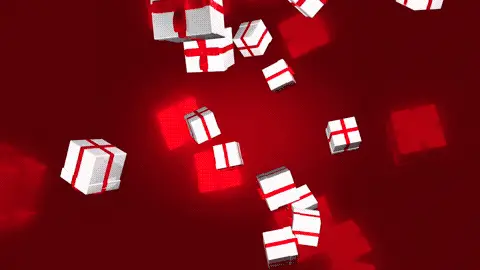 Confetti Birthday GIF Templates
 Confetti Birthday GIF Templates
 Birthday Cake GIF Templates
 Balloon Birthday GIF Templates
 Balloon Birthday GIF Templates
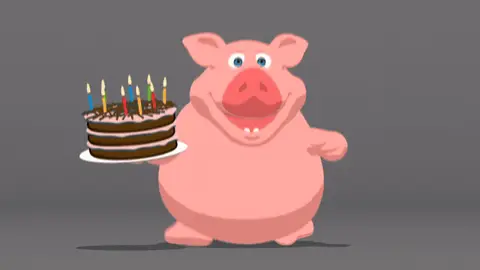 Birthday Cake GIF Templates
 Birthday Cake GIF Templates
About this template
This happy birthday GIF features a cheerful balloon animation with a soft, blurred background that gives it a dreamy, celebratory feel. The floating balloons bring movement and color to the frame, creating a festive mood without feeling overwhelming. The blur effect in the background keeps the focus on the balloons themselves, making the overall visual feel warm and upbeat — the kind of thing that actually looks good on a small phone screen.
This template works well in a few different everyday situations. Send it on WhatsApp to a coworker whose birthday you almost forgot — it's casual enough not to feel over-the-top. Post it on a Facebook friend's timeline when you want to do more than just click the birthday notification button. It also fits nicely in iMessage threads with family members, especially for kids or grandparents who enjoy colorful animations. If you manage a brand's Instagram Stories, this works for a quick birthday shoutout to a follower or team member without needing a full graphic design setup.
Keep any text you add short — one line maximum works best so it doesn't cover the balloon animation. Try placing your message at the bottom third of the frame where the background blur is heaviest; that contrast makes text easier to read. Send it in the morning so the recipient sees it early in the day, which tends to get a quicker, more enthusiastic response than an afternoon or evening message.
FAQ
Common questions
Can I make a happy birthday GIF with a name?
Yes. Choose a birthday template or upload your own GIF, then add a name, optional age, and birthday message in the editor.
Can I add age to the birthday GIF?
Yes. The birthday page includes an optional age field designed for short numbers.
Is the birthday GIF processed in my browser?
The upload, preview, and compression workflow is browser-based. Files are not uploaded for the basic editor experience.
What size is best for WhatsApp birthday GIFs?
A 480px-wide GIF with lower FPS is usually easier to share than a full-size original.
Can I upload my own birthday GIF?
Yes. You can upload a GIF and add custom text over the preview before downloading or compressing.
Do I need design software?
No. The page is built as a browser tool for choosing a template, editing text, and preparing a shareable GIF.
Can I use the same GIF for friends and coworkers?
Yes, but it is better to adjust the message and style for each recipient.
Why is my birthday GIF still large?
Confetti, candles, high resolution, and many frames can increase size. Resize and reduce FPS before downloading.
Can I make a funny happy birthday GIF?
Yes. Use a funny birthday template and keep the message short so the joke remains readable.
Can I compress the birthday GIF after editing?
Yes. The page links back to the full GIF compressor for more compression controls.
Free tools
More ways to make a GIF
Happy Birthday GIF MakerCreate a birthday GIF with name, age, message, and compression options.Good Morning GIF MakerMake a good morning GIF with a name, greeting, template, and download flow.Funny GIF MakerAdd captions, top text, or bottom text to create a shareable funny GIF.GIF Size CheckerCheck GIF file size, dimensions, frame count, duration, and FPS.GIF ResizerResize animated GIF width in your browser before sharing.GIF FPS ReducerLower GIF frame rate to make animated GIFs smaller.GIF to WebPConvert animated GIF files to WebP for smaller web animations.GIF to MP4Convert GIF animations to MP4 video for better compression.